Your school day,all linked up.
Classes, published grades, your schedule, and what's due, together in one native iPhone app. Made by an Oakwood student for the moments between classes.
For iPhone with iOS 17 or later. Distributed through TestFlight.
Four tabs. One school day.
Each tab is one thing you check between classes. Pick one to see what it does, or let them take turns.
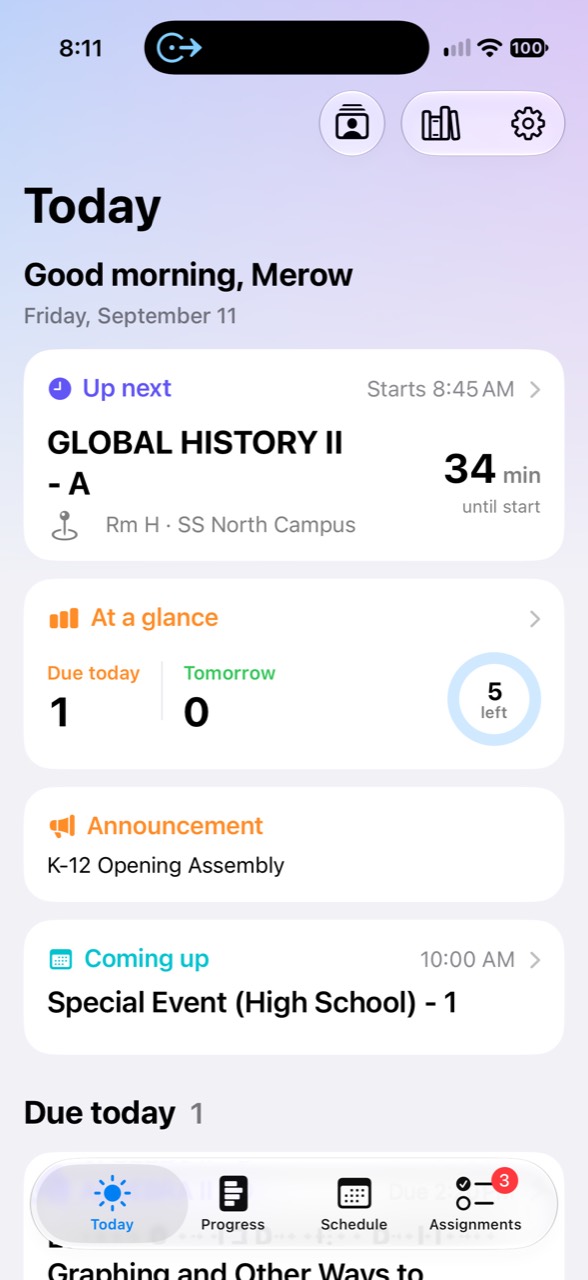
See the day at a glance.
Your next class, what's due, and unfinished work for today and tomorrow. School resources and Group Finder open from the toolbar.
How Today works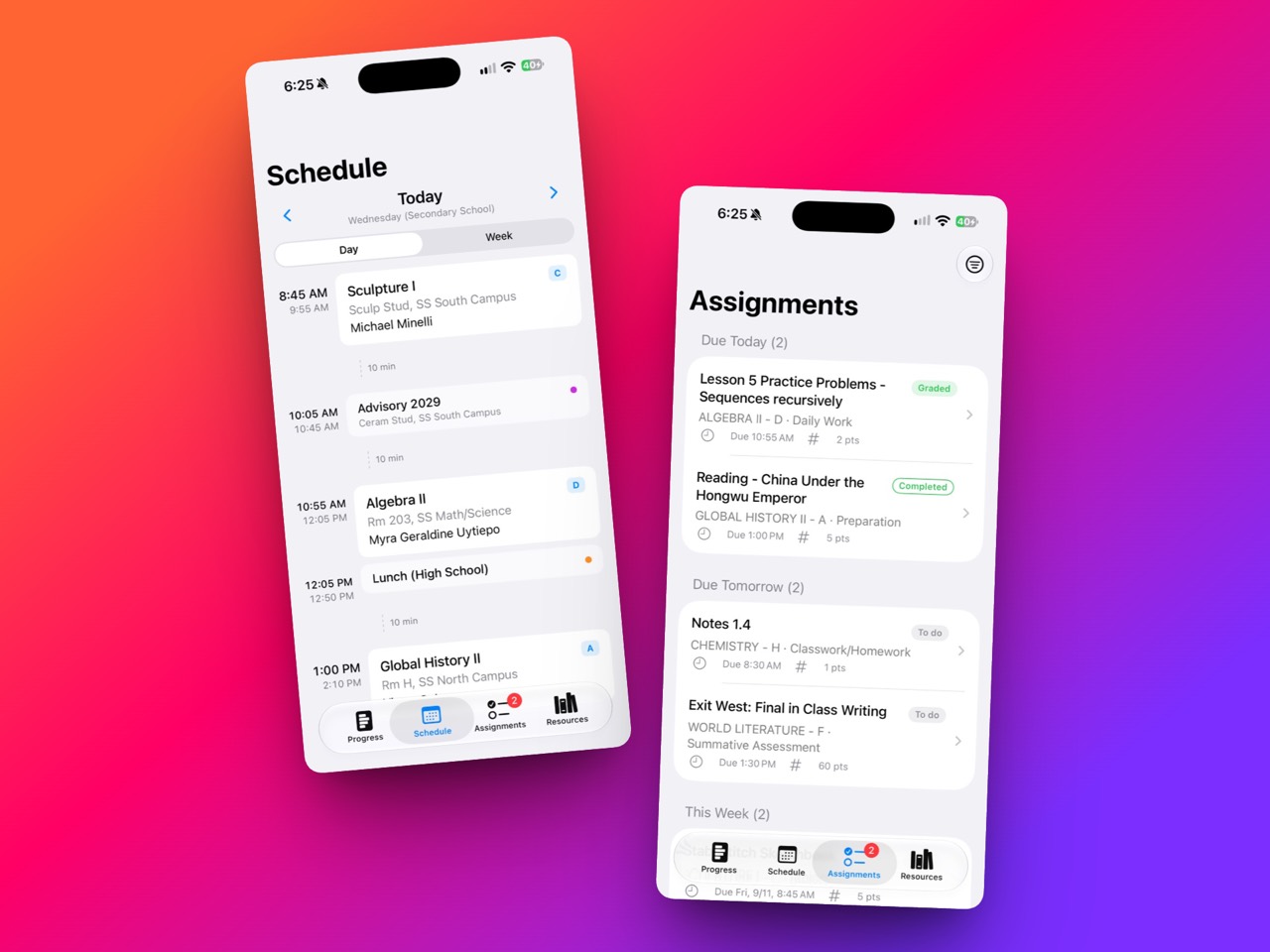
Native where it matters.
Built with Swift and SwiftUI, with native screens for your daily school information.
From paper to your assignment.
Scan pages into one PDF, take a photo, or choose an existing photo or file. Review and upload it as a draft, then use Submit assignment when your saved work is ready.
How uploads and submission workYour place stays on screen.
Recently viewed school content stays visible while the app refreshes or tries to reconnect. Saved content gives you something useful to return to while new information loads.
Reminders, on your terms.
Turn on optional assignment reminders in Settings. Notifications are scheduled on your device, and grades and scores stay out of notification text.
How reminders workA direct connection to school.
School requests travel from your iPhone to Blackbaud. Oakwood One has no separate server that copies your school account, no advertising, and no third-party analytics.
Read the privacy policy
Try it without an account.
Already have the app? Tap Try demo on the welcome screen. Explore Today, classes, assignments, grades, resources, and a schedule, using the same screens as the school-account experience.
Demo changes stay separate from real school data. Reset the samples whenever you want. Uploading and submitting work require a school account.
Read the demo guideBuilt by a student who uses it.
Merow Fartaj is building Oakwood One around the everyday details of being an Oakwood student: the next room, the next deadline, and the work already done.
The app is independently developed. Oakwood Connected remains the school's portal and the source of school records. Features can vary by TestFlight build. Student ID and Apple Wallet are coming soon.
Read the documentation